
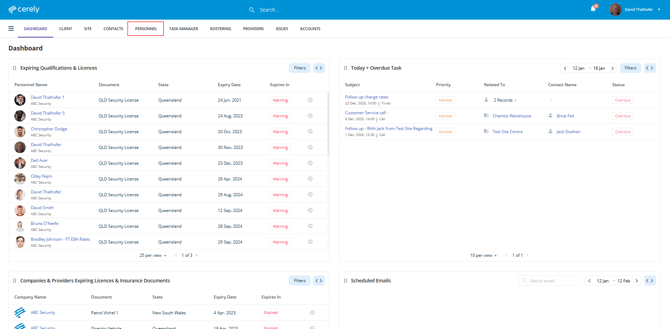
1. From the home screen in Cerely, click on the Personnel tab from the Cerely top main menu
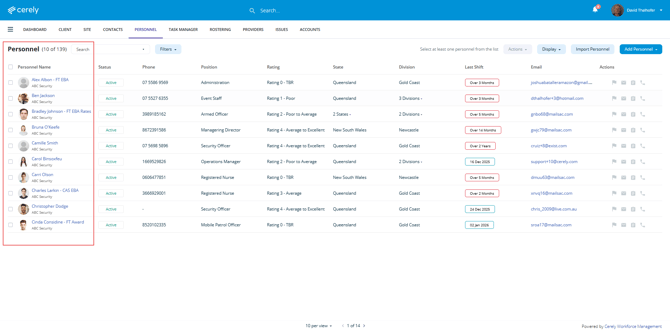
2. Locate and select the employee whose site ban you want to delete
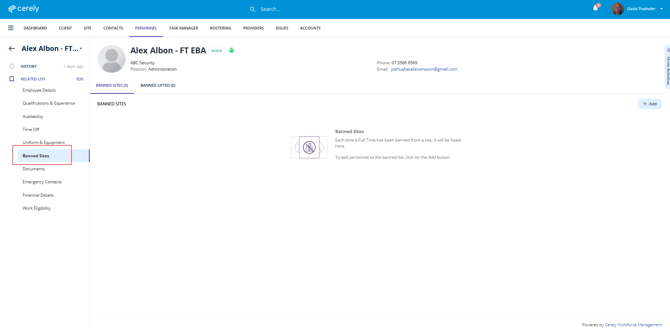
3. From the left-hand side menu within the employee profile, select Banned Sites
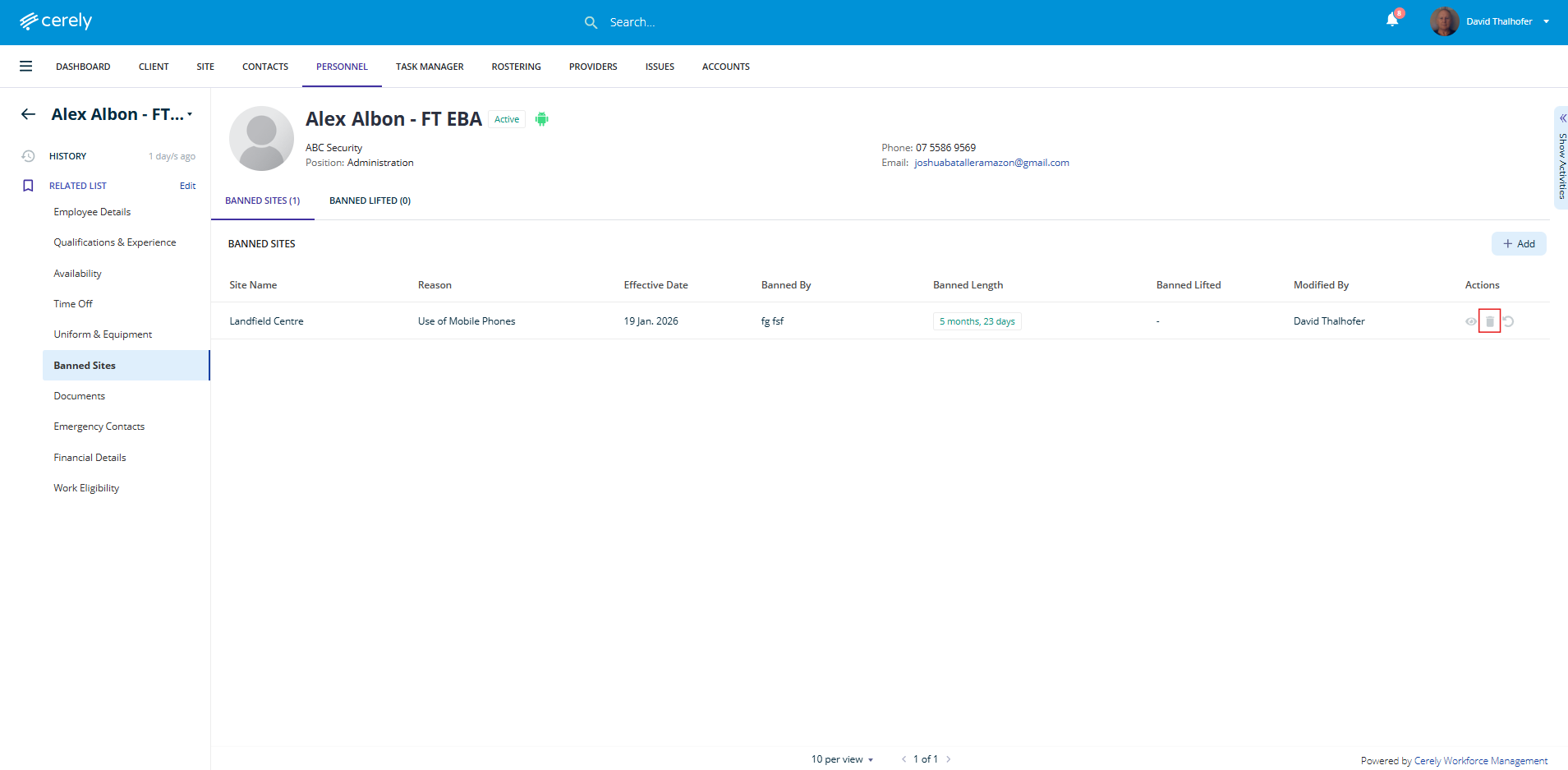
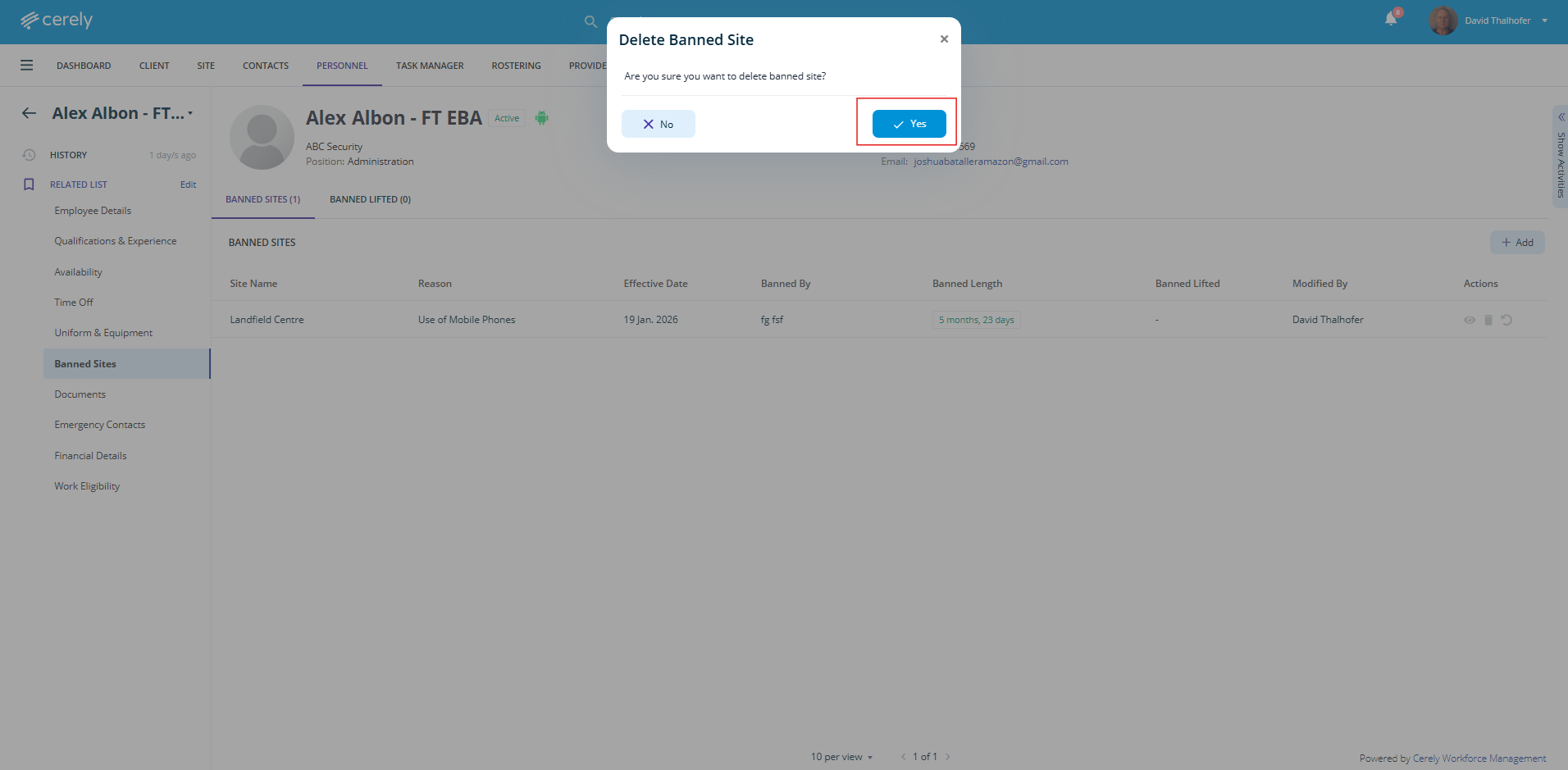
4. Locate the site ban you want to remove and select the Delete icon
5. When prompted, confirm that you want to delete the site ban.
Note:
Once deleted, the site ban is removed immediately. Cerely’s rostering algorithm will allow the employee to be scheduled at the site again, subject to availability.