
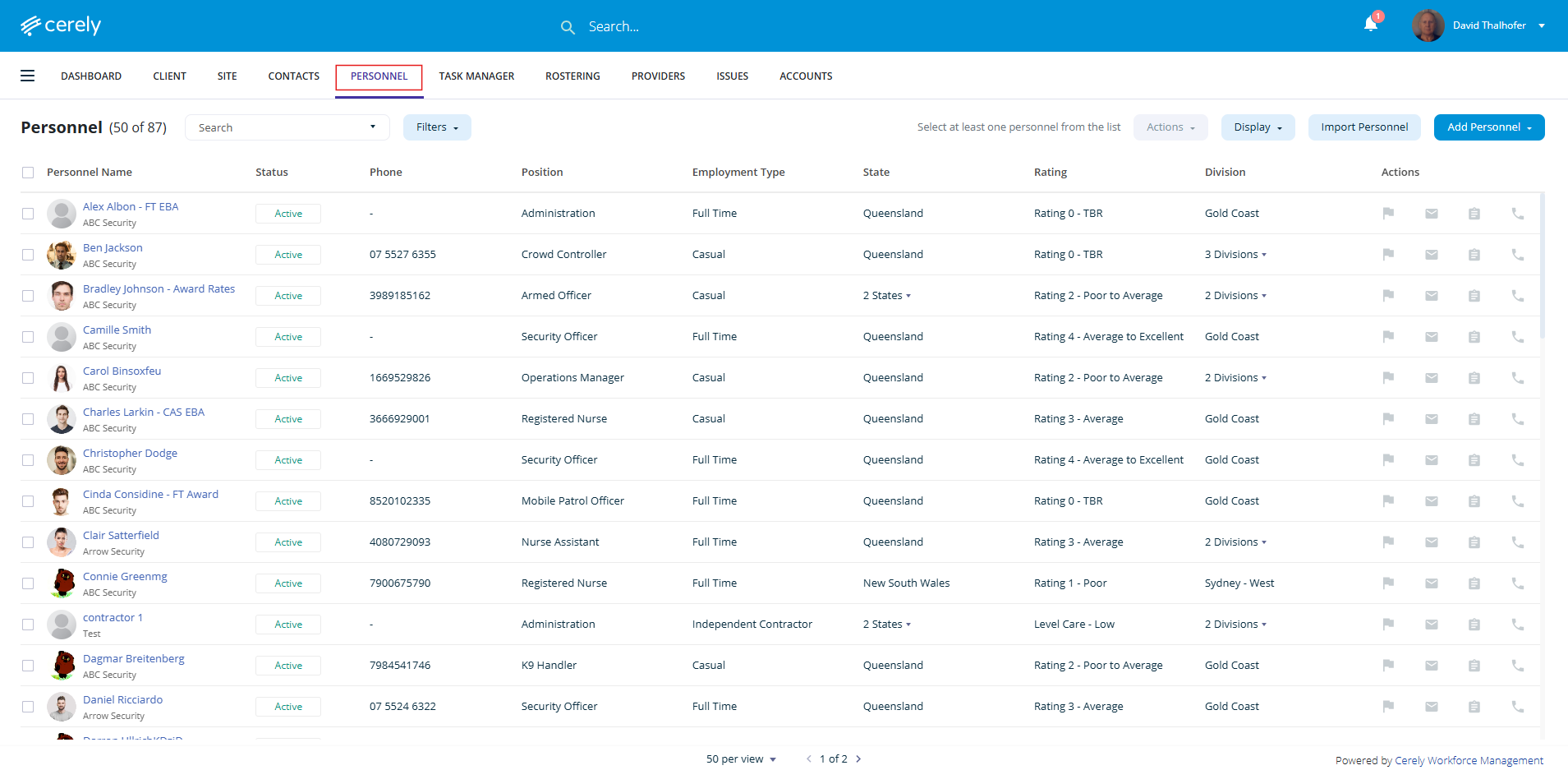
1. From the main menu on the Cerely dashboard, click on the Personnel tab
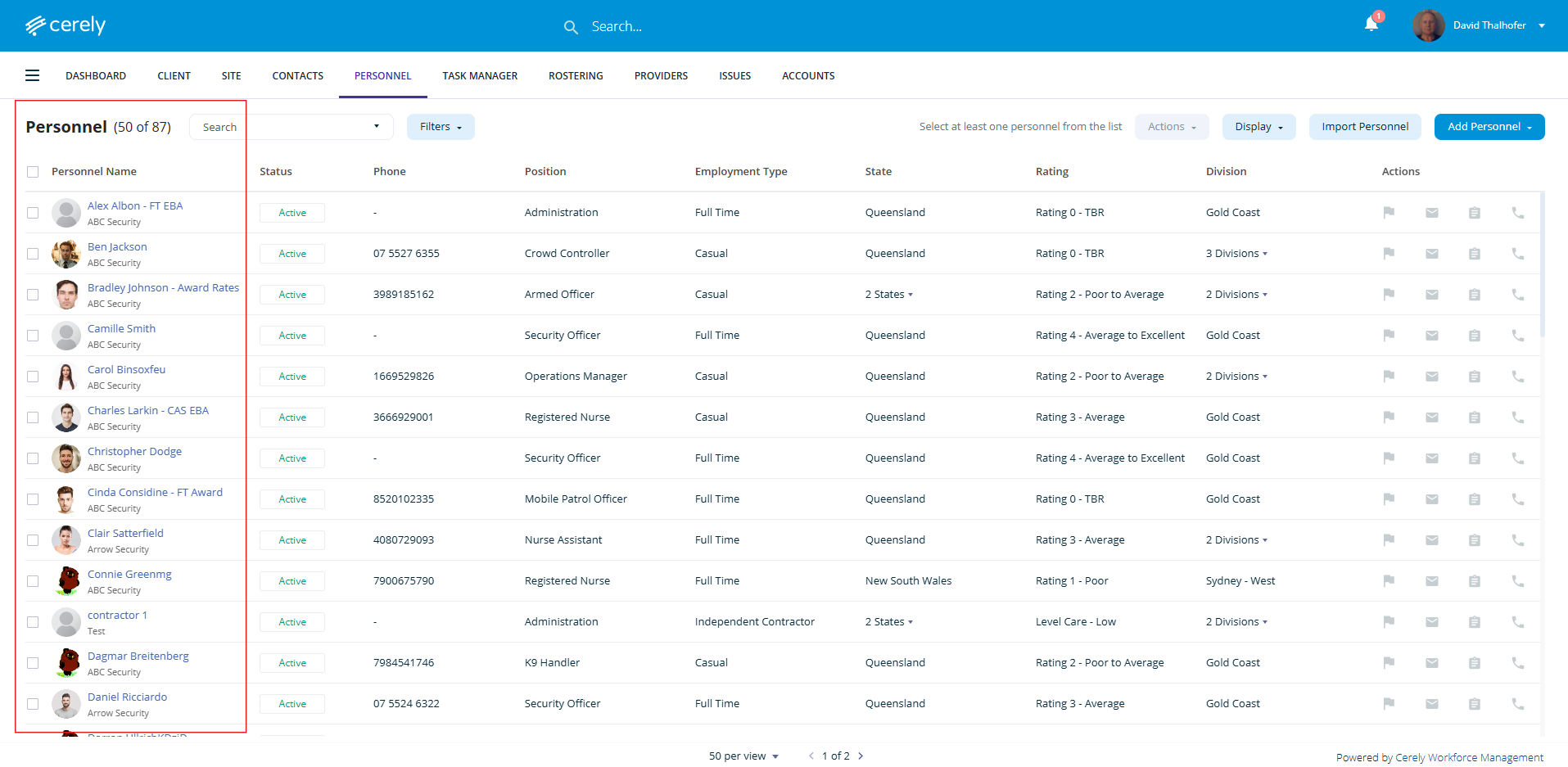
2. Select the employee from the list you wish to edit details, click on the employee name and this will open the profile
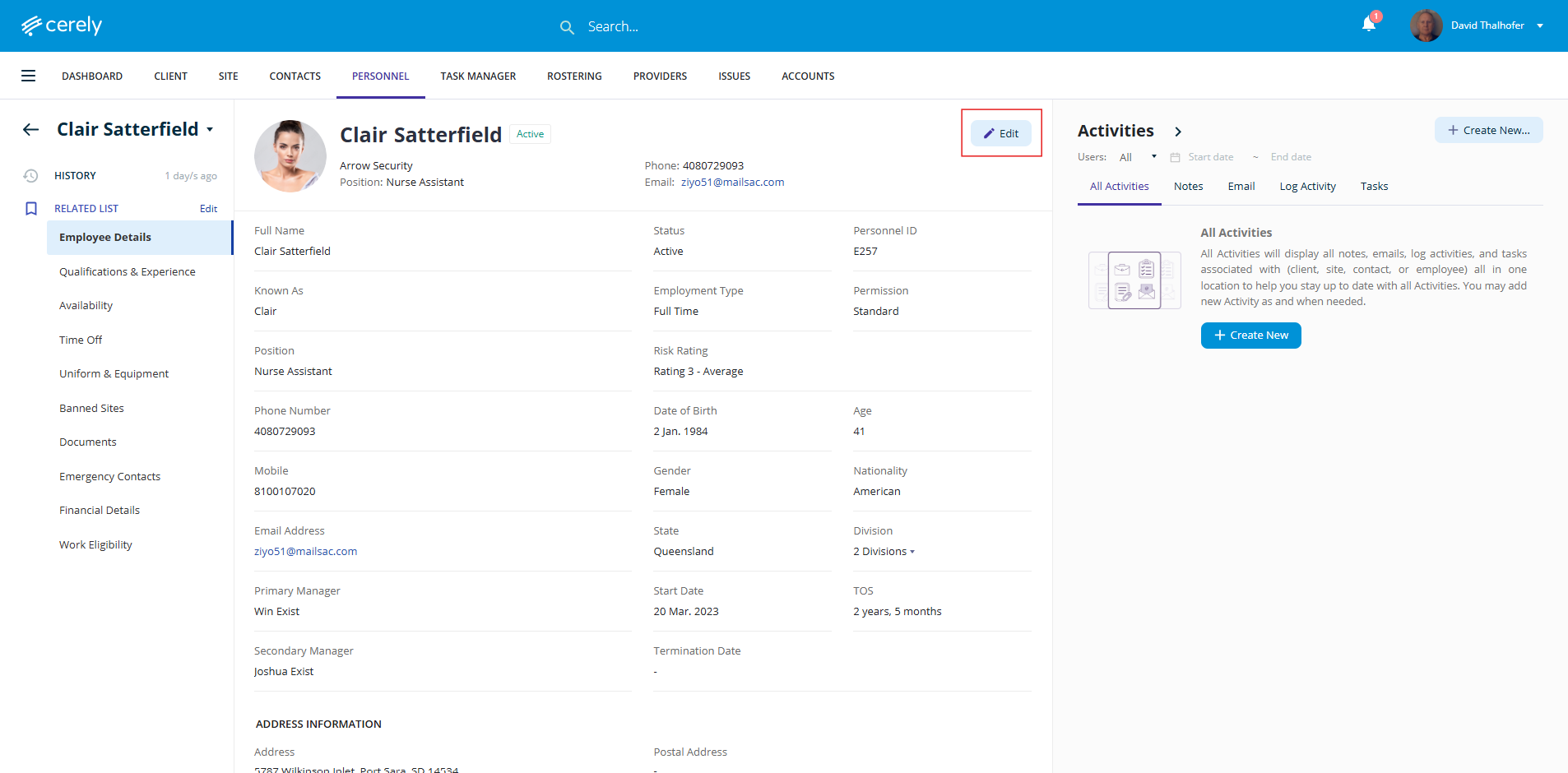
3. Click on the Edit icon to switch the profile into edit mode
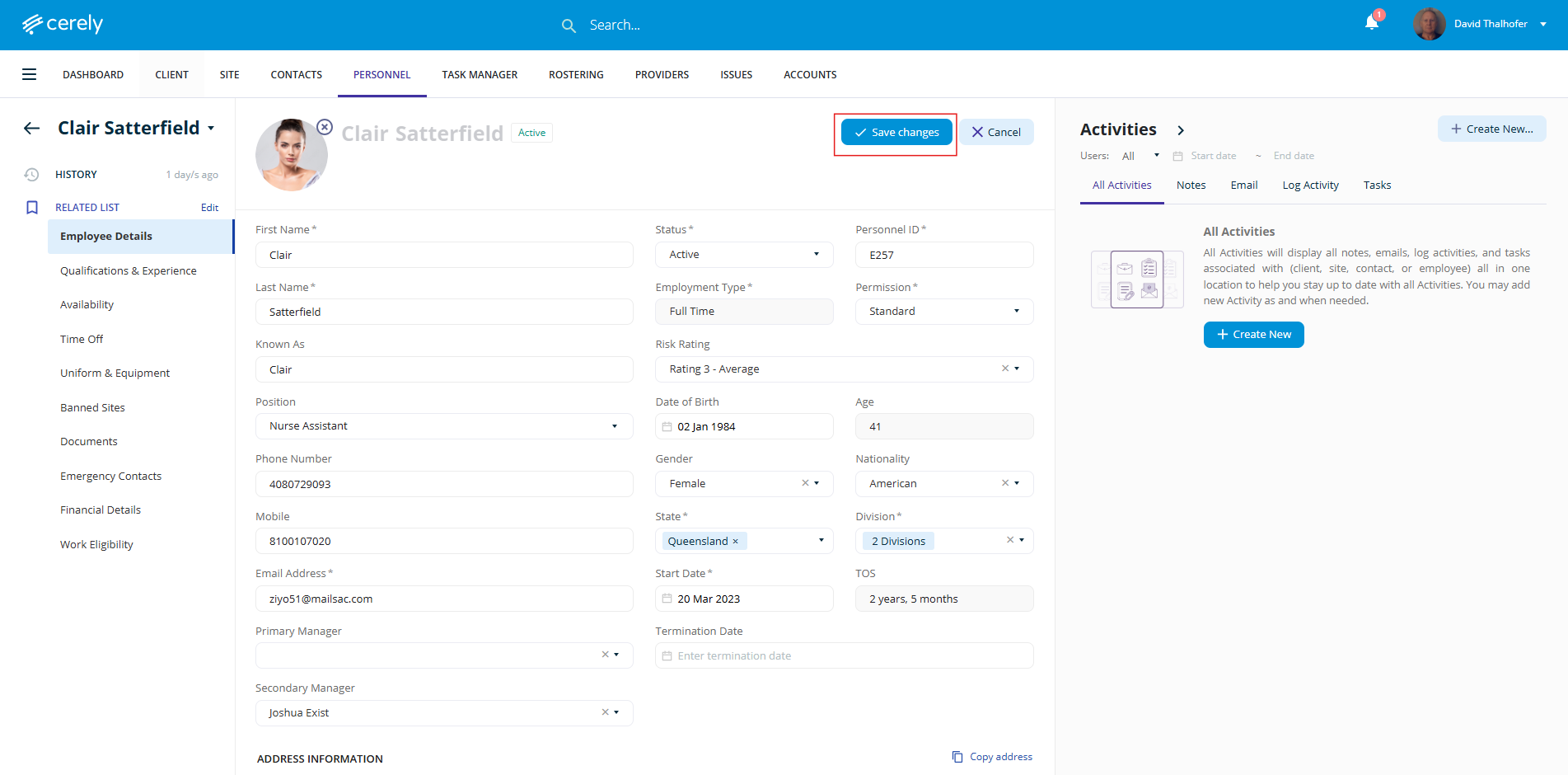
4. Make Any Required Changes to the fields that require updating
5. Once all necessary updates are made, click on the Save Changes button to apply the updates to the employee profile
The updated information will now be saved and reflected throughout the platform for the employee.