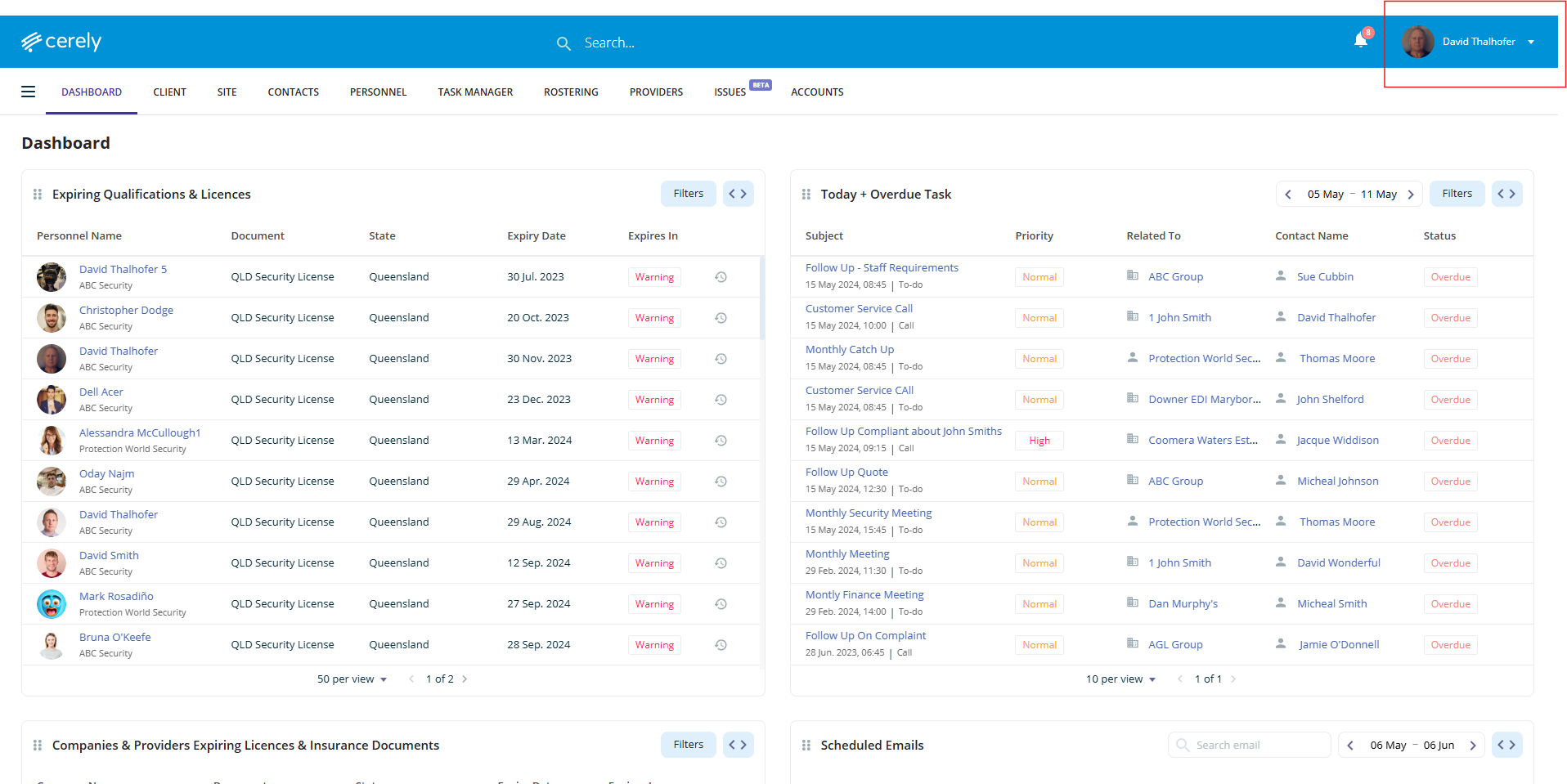
1. From the main menu, click your Profile Icon in the top right-hand corner
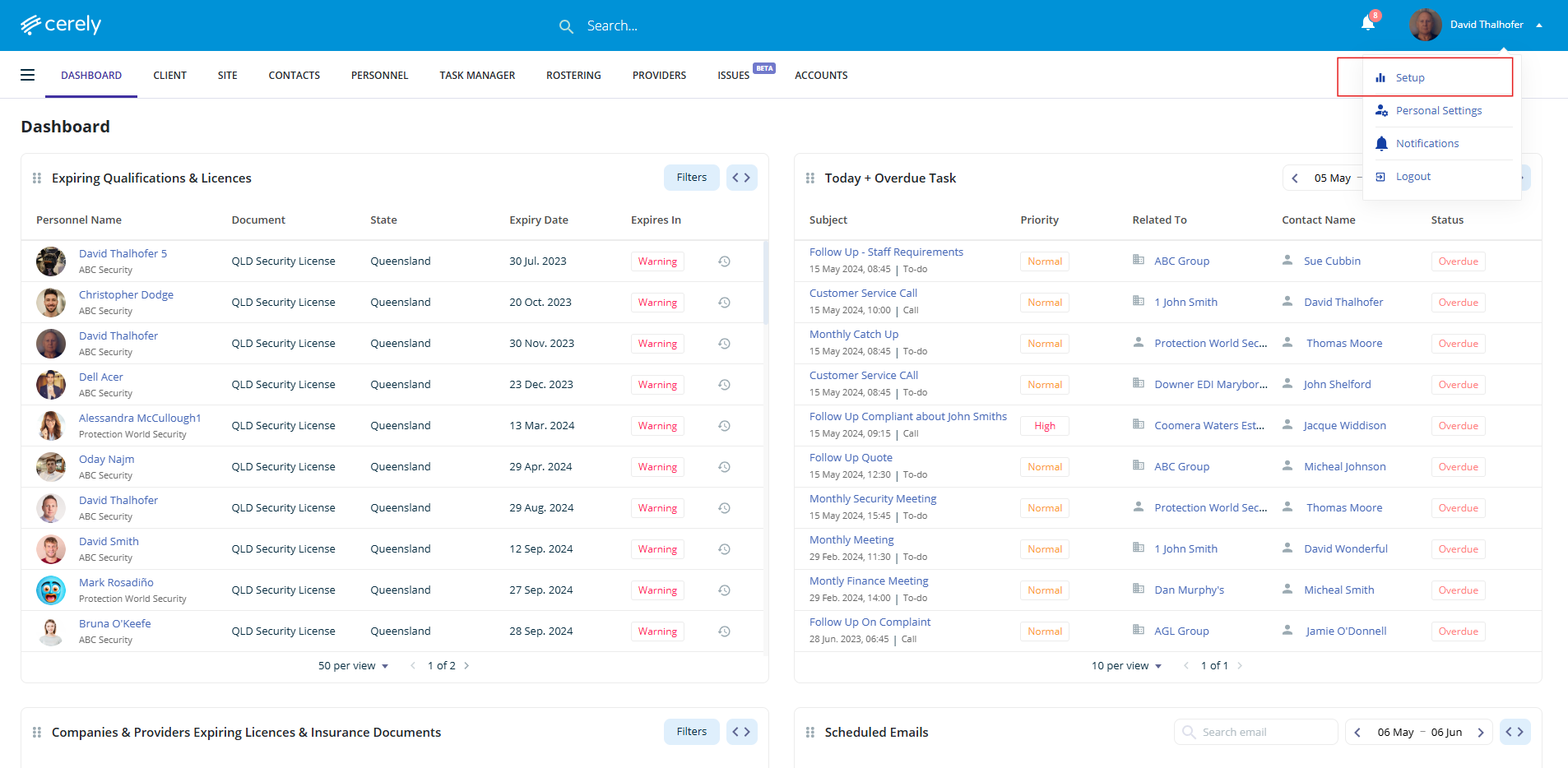
2. Click on Setup from the dropdown menu
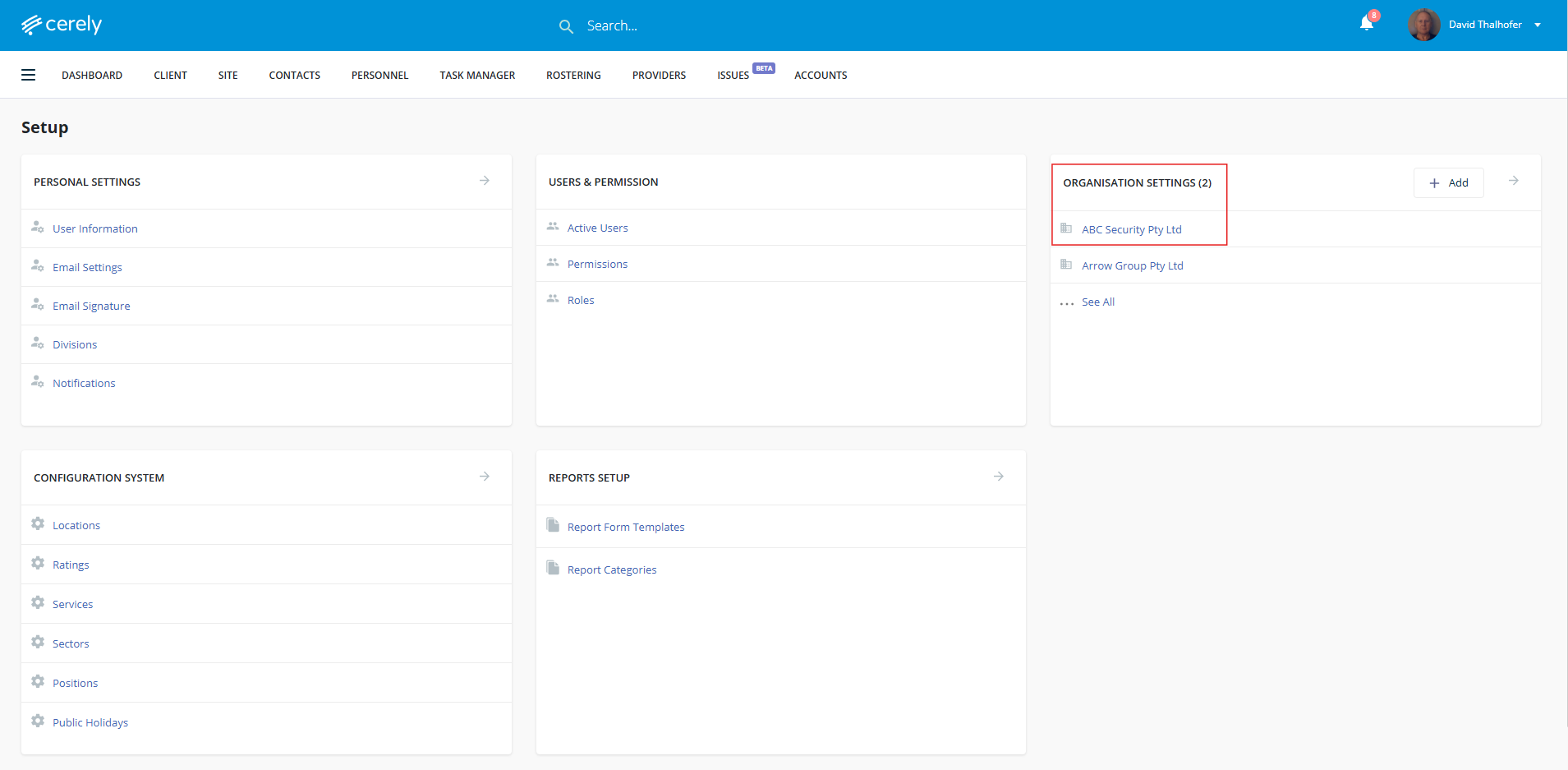
3. Under Organisation Settings, Click on your Organisation Name
4. In the left-hand menu, click on Banking Details
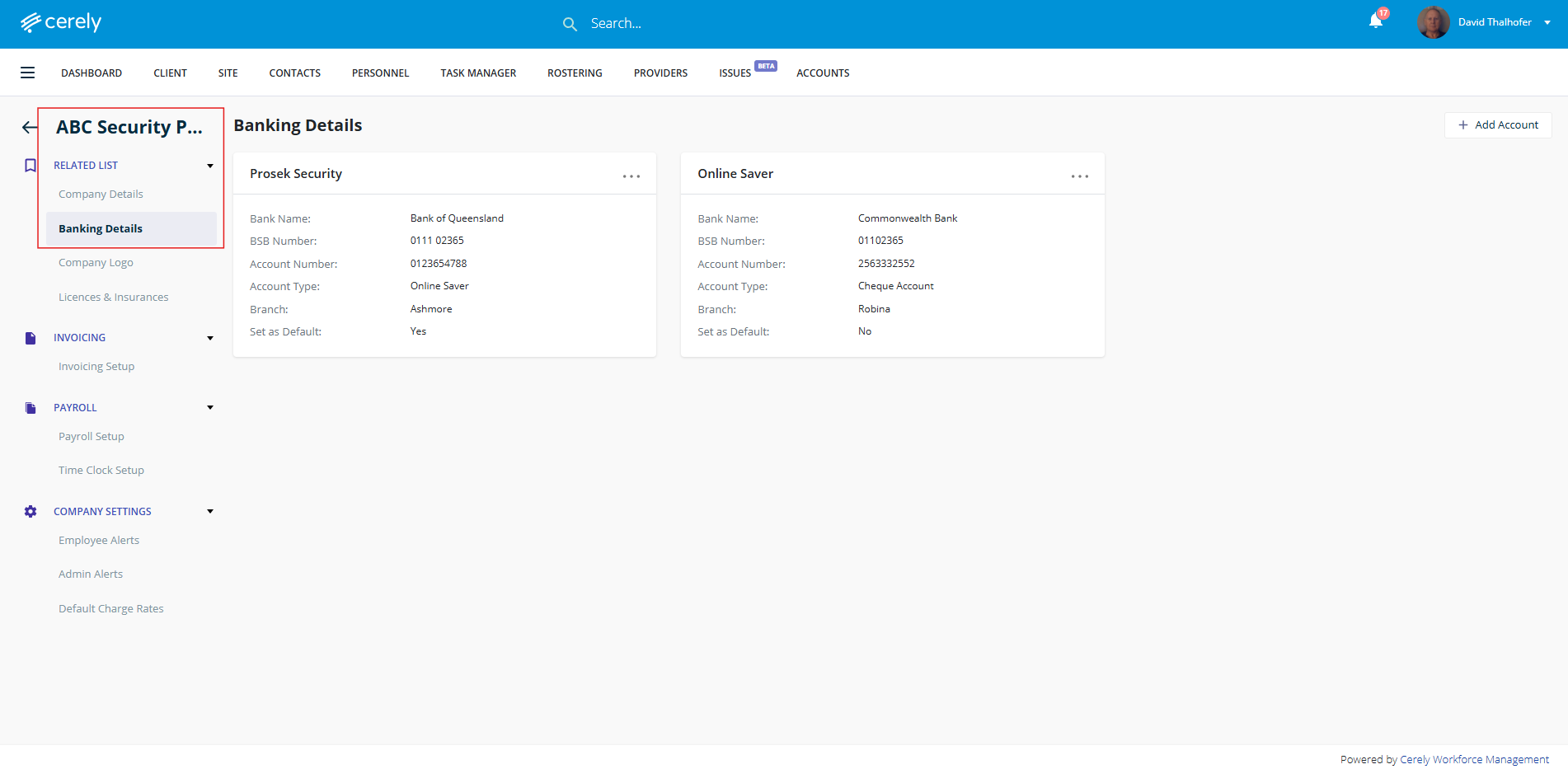
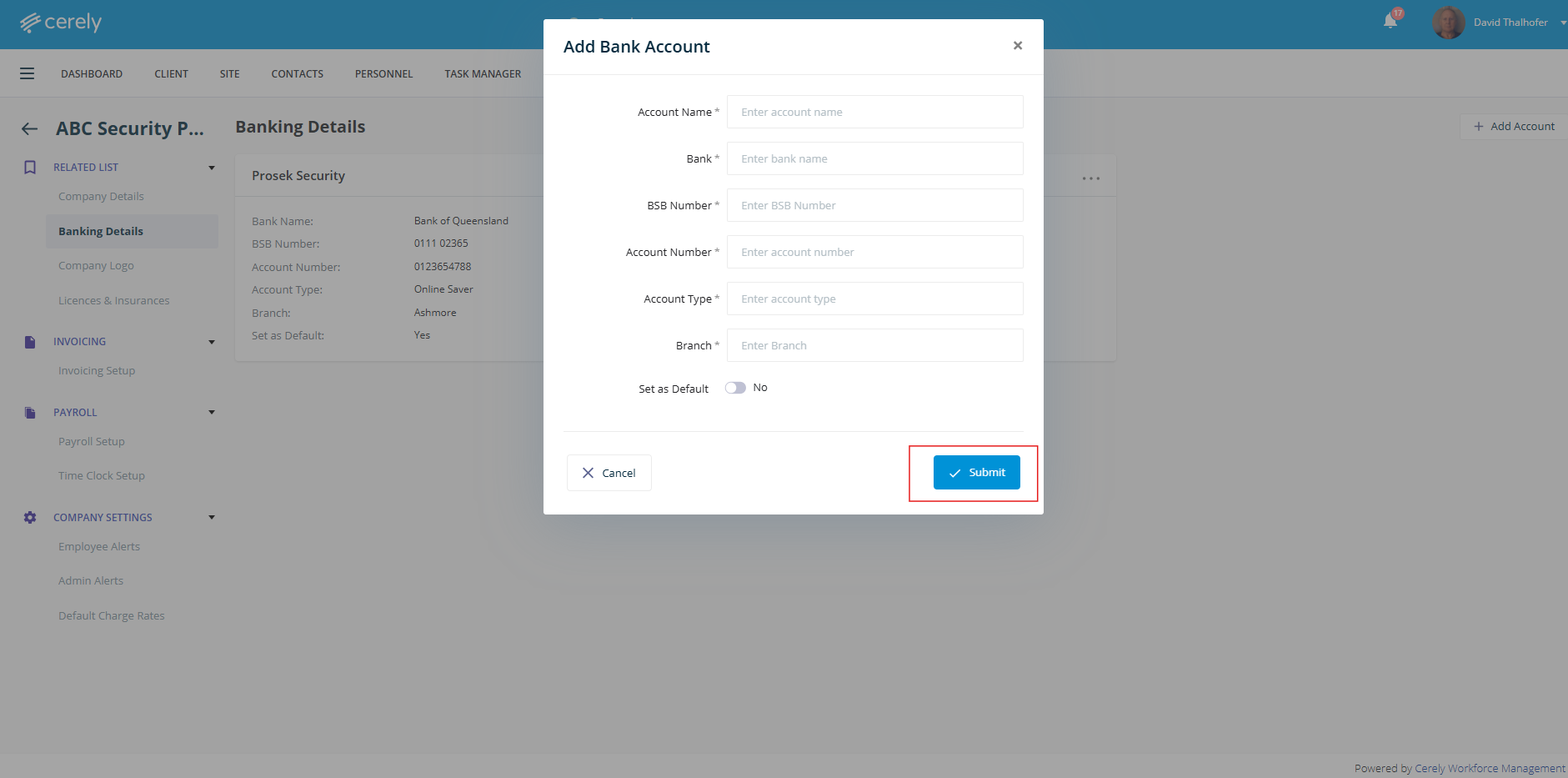
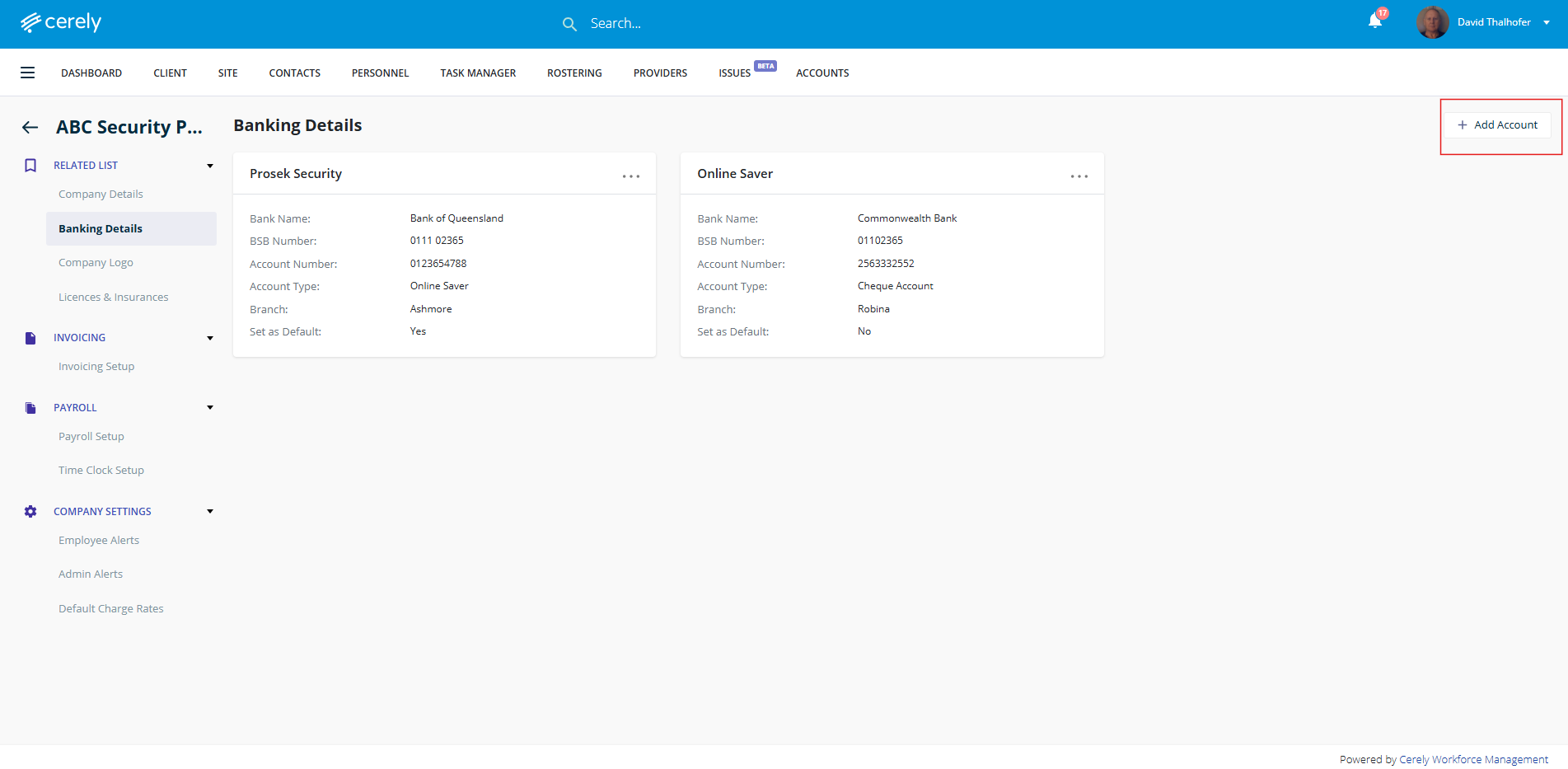
5. Click on the + Add Account to enter banking details
6. Add the bank account information completing all fields and information in the pop up window displayed
- Account Name
- Bank
- BSB Number
- Account Number
- Account Type
- Branch
- Set as default YES/NO
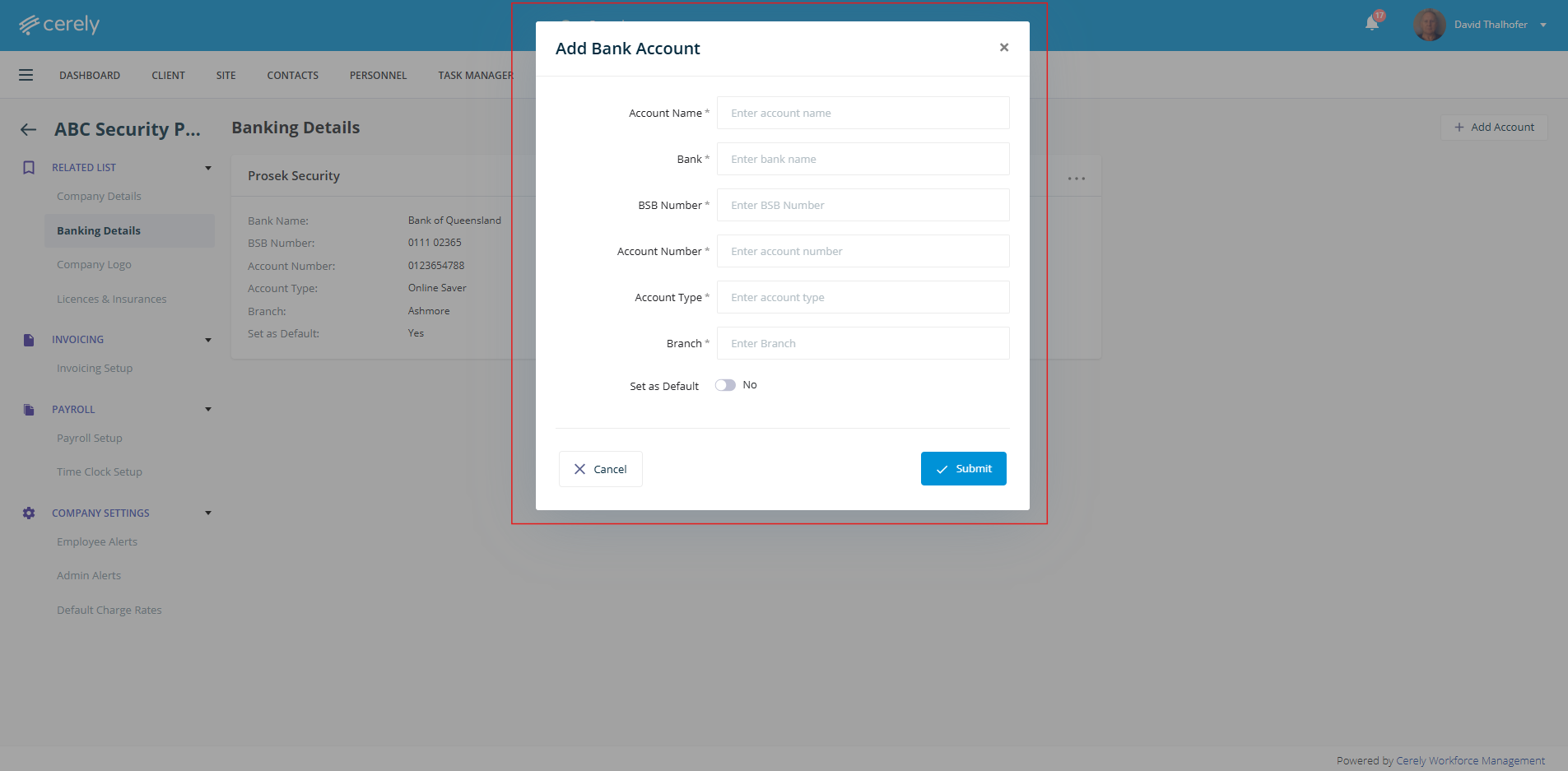
7. Click Submit to save and add the bank account information